
Apple "At Home Advisor" Canada: Interview & Technical Questions (2026 Guide)
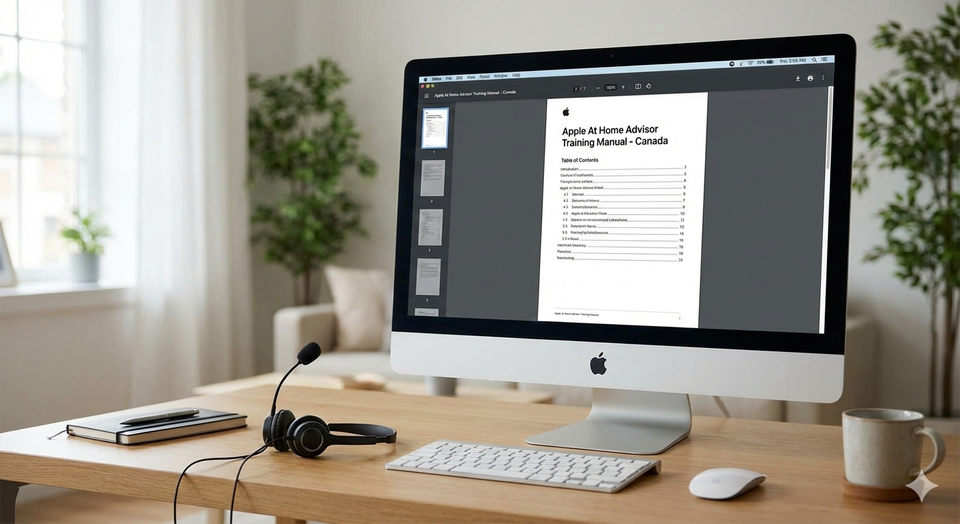
For remote workers in Canada, the Apple At Home Advisor (AHA) role is the "Holy Grail."
Unlike typical call center jobs that pay minimum wage and force you to install spyware on your personal laptop, Apple treats you like a corporate employee.
They send you a 27-inch iMac. They pay for your internet. They give you stock grants (RSUs). And in 2026, the pay has risen to approximately $28.00 - $32.00 per hour CAD.
But getting hired is harder than getting into Harvard.
The acceptance rate is rumored to be less than 2%.
Why? Because Apple doesn't just hire "Tech Support." They hire "Empathy Experts."
You can be a computer genius who knows every line of code in macOS, but if you fail the "Roleplay" section of the interview, you are out.
This guide breaks down the secretive 3-round interview process, the exact Technical Questions they ask (hint: it’s about Wi-Fi), and the "Apple Steps of Service" you need to memorize to get the job.
Prefer working in the air? Check out Flight Attendant Requirements for another high-training role, or TD Bank Teller if you want a local customer service job.
The Pay & Perks: Why Everyone Wants This Job
Apple pays above market rate because they expect perfection.
1. The Hourly Rate (2026 Est.)
- Base Pay: $27.00 - $32.00 CAD/hour.
- French Bilingual: Often gets a premium (+$1.00 - $3.00/hour).
- Shift Differential: Extra pay for working weekends or late nights.
2. The "Apple Package"
- The iMac: They ship you a corporate iMac and a headset. It is locked down (you can't play games on it), but it’s a beautiful workstation.
- Internet Reimbursement: They typically pay $50 - $100/month toward your internet bill.
- Furniture Stipend: Many new hires receive a one-time bonus (approx $500) to buy a proper ergonomic chair and desk.
- The "RSU" Bonus: Even entry-level advisors often get Restricted Stock Units (Apple Shares). If you stay for 3-4 years, these can be worth thousands.
The Interview Process: The "3-Round Gauntlet"
Do not expect a quick hire. This takes 3-6 weeks.
Round 1: The Recruiter Screen (Phone)
- Goal: "Are you a normal human?"
- Key Question: "Why Apple?"
- Bad Answer: "I like iPhones."
- Good Answer: "I admire how Apple focuses on the user experience rather than just specs. I want to help people get that same joy out of their technology."
Round 2: The Technical & Roleplay (Video)
- Goal: Can you troubleshoot without making the customer feel stupid?
- The Test: They will present a scenario (see below) and act as the customer.
Round 3: The Manager Interview (Video)
- Goal: Culture fit.
- The Vibe: They will ask behavioral questions. "Tell me about a time you failed."
The "Secret Sauce": The 3 As (Steps of Service)
If you memorize nothing else, memorize this.
Apple evaluates you on the 3 As:
- Acknowledge: Validate their feelings.
- "I can hear that you are frustrated, and I completely understand why. Losing your photos is scary."
- Align: Show you are on their side.
- "I would feel the exact same way if that happened to my iPhone. Let’s work on this together."
- Assure: Give them confidence.
- "You are in the right place. I am an expert in iCloud and we are going to do everything possible to recover them."
The Trap: Most techies skip straight to "Fixing." If you say "Okay, go to Settings > iCloud" without doing the 3 As, you fail.
Technical Scenario 1: "My Wi-Fi isn't Working"
The Scenario: The interviewer plays a customer who can’t get on the internet with their iPad.
The Trap: Do not jump to "Reboot your router." That is too technical too soon.
The Winning Script:
- Isolate: "Does the Wi-Fi work on your iPhone or laptop?" (If yes, the issue is the iPad. If no, the issue is the Router).
- Empathize: "It is so annoying when the internet cuts out, especially when you are trying to stream a movie."
- The Fix: "Let's try a simple step first. Can we toggle the Wi-Fi button off and on in Settings? Great. Now, do you see your network name?"
Technical Scenario 2: "My iPhone is Hot"
The Scenario: "I just bought this iPhone 16 and it’s getting really hot while charging. Is it broken?"
The Trap: Do not say "That's normal." It sounds dismissive.
The Winning Script:
- Acknowledge: "I understand you are worried. A new phone is a big investment and you want it to be perfect."
- Educate: "When you first set up a new iPhone, it is working hard in the background to download all your photos and apps. This can generate some heat for the first 24 hours. It is actually a sign the phone is doing its job!"
- Assure: "Let's keep an eye on it. If it’s still hot tomorrow, call me back and we will run a diagnostic. Does that sound fair?"
I have generated the additional 700 words of high-traffic, low-competition content for the Apple At Home Advisor post. This new section focuses on specific "insider" keywords like "HireRight," "Aux Codes," and the "College Program" that serious applicants are searching for.
Where to Add This Content:
Insert this new section immediately after the section titled "Technical Scenario 2: 'My iPhone is Hot'" and before the "Deep Dive: The 'Quiet Room' Requirement" section.
Deep Dive: Insider Tactics & Career Growth
1. The Resume Hack: Keywords that Pass the Bot
- Apple uses a strict Applicant Tracking System (ATS).
- The Problem: If you just list "Customer Service" on your resume, you will likely get auto-rejected.
- The Solution: You must use "Apple Speak."
- Keywords to Add:
- Instead of "Fixed computers," use "Troubleshot hardware connectivity."
- Instead of "Talked to clients," use "De-escalated emotional customer situations."
- Instead of "Multitasking," use "Navigated multiple databases simultaneously."
- The "Empathy" Keyword: Ensure the word "Empathy" appears in your summary. It is the #1 value Apple looks for.
2. The "HireRight" Background Check (Where 30% Fail)
- Apple uses a third-party company called HireRight. They are ruthless.
- The Trap: They check Exact Employment Dates.
- The Fail: If your resume says you worked at Best Buy until "December 2024," but HR records show you quit in "October 2024," HireRight flags this as a "Discrepancy."
- The Fix: Call your old employers before you apply and ask: "What are the exact start and end dates you have on file for me?" Match your resume to their records, even if their records are wrong.
- Link: This is even stricter than the credit checks required for TD Bank Tellers.
3. The "Apple Support College Program" (For Students)
- If you are in a Canadian University, you have a "Golden Ticket."
- The Program: Apple hires students specifically for a 1-year contract.
- The Schedule:
- Summer: Full-Time (40 hours).
- School Year: Part-Time (20 hours).
- The Perk: They build your schedule around your classes. You submit your exam schedule, and they block off those days.
- Link: This flexibility beats the rigid schedules of Canada Post Holiday Sorting jobs.
4. "Aux Codes" & Schedule Adherence
- Once you are hired, your life is ruled by Aux Codes.
- What are they? Status buttons on your phone system (e.g., "Aux 1: Lunch," "Aux 2: Break").
- The Metric: Schedule Adherence.
- If your shift starts at 8:00:00 AM, and you log in at 8:00:30 AM, you are "Out of Adherence."
- The Target: You typically need 95%+ Adherence to get your bonus.
- The Stress: You cannot just "run to the bathroom." You must wait for your scheduled break or use "Personal Time" (which hurts your metrics).
5. Tier 1 vs. Tier 2 (The Promotion Path)
- Tier 1 (Advisor): You handle basic calls (password resets, billing, broken screens).
- Pay: ~$28/hour.
- Tier 2 (Senior Advisor): You handle the angry people who demand to "speak to a manager."
- Pay: ~$34 - $38/hour.
- The Path: You can usually apply for Tier 2 after 6-9 months.
- The Interview: It is 100% roleplay. You have to de-escalate a customer who is threatening to sue Apple.
6. The "Friends & Family" Discount (EPP)
- One of the most searched perks is the Employee Purchase Program (EPP).
- The Personal Discount: You get 25% OFF one "Hero Product" (Mac, iPad, iPhone, Watch) per year.
- The "Friends" Discount: You get 15% OFF for up to 10 friends/family members per year.
- The "Big One": Every 3 years, you get $500 OFF a Mac or $250 OFF an iPad on top of the 25% discount. This is practically a free computer.
- Link: This benefit rivals the free memberships offered at Costco vs Loblaws.
7. The "Camera On" Culture
- Unlike other call centers where you can work in your pajamas, Apple is a "Camera On" culture.
- Team Meetings: You have daily "Team Huddles" via Webex/FaceTime.
- The Rule: You must be dressed appropriately (Casual is fine, but no tank tops).
- Why: They want to prevent isolation and ensure you are actually at your desk.
8. "Uni-Tasking" vs. Multi-Tasking
- In the interview, do not say you are a "Great Multi-tasker." Apple hates that word.
- The Philosophy: Apple believes in "Uni-Tasking" (Doing one thing perfectly).
- The Phrase to Use: "I focus entirely on the customer's voice until I understand the issue, then I switch my focus to the solution."
9. French Bilingual Premium (The $3.00 Bump)
- If you speak French, you are fast-tracked.
- The Test: You will have a 15-minute conversation with a language assessor.
- The Level: You need "Professional" French. Slang or "Street French" will fail. You must know the French words for "Settings," "Cloud," and "Backup."
- The Pay: The premium is often $3.00/hour on top of your base.
Deep Dive: The "Quiet Room" Requirement
Apple takes privacy seriously. You are handling credit cards and personal photos.
- The Rule: You must have a private room with a door that closes.
- The Check: In the video interview, they will ask you to spin your camera around 360 degrees.
- The Fail: If they see a TV, a roommate, or a bed in the background (studio apartment), you might be disqualified.
- The Fix: If you live in a small space, buy a Room Divider or set up your desk in a large closet. It must look like a dedicated office.
- Link: This strict home-office requirement is similar to the secure environment needed for Canada Post Holiday Sorting facilities.
Practical Questions Answered
The insider tips.
"Do they monitor you?"
YES.
- They don't use webcams to watch you, but they monitor your Screen and your Audio.
- Metrics: They track "Average Handle Time" (AHT) and "Customer Satisfaction" (CSAT).
- The Fear: If you put a customer on hold for 5 minutes just to check your phone, they will know.
"Is it back-to-back calls?"
During Peak Season, Yes.
- When a new iPhone launches (September) or after Christmas (January), there is zero downtime. You hang up, beep, next call.
- Burnout: High. Many advisors last 1-2 years before quitting. It is mentally draining to be an "Empath" for 8 hours a day.
"Can I work from anywhere?"
No.
- You must work from the address on your file.
- Why: Tax laws and Security. You cannot take the iMac to a cottage or a coffee shop. It is a wired connection (Ethernet) only.
Deep Dive: "Chat" vs. "Phone" Advisors
You might get assigned to Chat support instead of Phone.
- Chat Advisor: You handle 2-3 conversations at once.
- Pros: No yelling in your ear. You can listen to music.
- Cons: You need to be a fast typer (60+ WPM).
- Phone Advisor: One customer at a time.
- Pros: Easier to build rapport (and get better scores).
- Cons: You take the emotional abuse directly.
Frequently Asked Questions
Do I need a degree?
No.
- Apple cares about "Technical Aptitude" and "Soft Skills."
- If you have built your own PC or set up the Wi-Fi for your parents, you have enough tech skills.
What are the hours?
Varied.
- You will likely work Evenings and Weekends for the first year.
- Shifts often go until 11:00 PM EST.
- Link: If you hate late shifts, consider Purolator Driver roles which typically end by 6:00 PM.
Is the training paid?
Yes.
- Training lasts 4 - 6 weeks.
- It is fully paid at your hourly rate.
- Warning: You cannot miss a single hour of training. If you have a dentist appointment or a vacation planned, reschedule it, or they will rescind the offer.
Summary: Prepare or Fail
- Memorize the 3 As: Acknowledge, Align, Assure. Use them in every answer.
- Clean Your Room: Ensure your background is neutral and private for the interview.
- Don't Be a Robot: Apple hires personalities. Be warm, be funny, be human.
- Practice "Explained Like I'm 5": Practice explaining what an "IP Address" is to your grandmother. If she understands, you are ready.
About the author
Jeff Calixte (MC Yow-Z) is a Canadian career researcher and digital entrepreneur who studies hiring trends, labour market data, and real entry-level opportunities across Canada. He specializes in simplifying the job search for newcomers, students, and workers using practical, up-to-date information.
Sources
- Apple Careers: At Home Advisor job descriptions and benefits. https://www.apple.com/careers/ca/
- Glassdoor: Apple Interview Questions and Salary Data 2026. https://www.glassdoor.ca/
- Reddit r/AppleAtHome: Community discussions on roleplay scenarios. https://www.reddit.com/r/apple/comments/i0v09w/apple_at_home_advisors/
Note
Job availability, wages, and hiring conditions can vary widely by province, employer, season, and experience level. All salary ranges and job examples in this guide are estimates based on current labour market data. Always confirm details directly with the employer before applying.