
Concentrix vs. Teleperformance: Which Remote Call Centre is Less Toxic? (2026 Comparison)
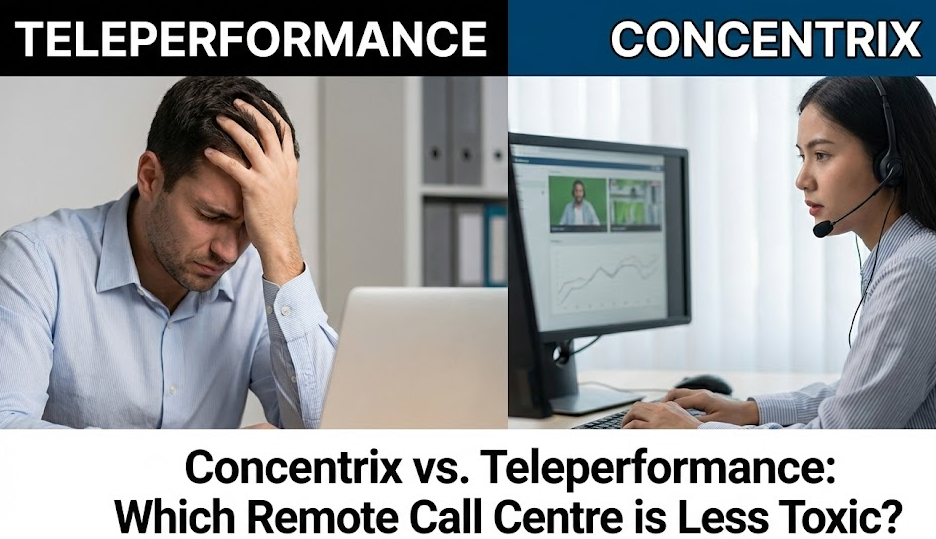
If you have typed "Work from Home jobs" into Indeed or LinkedIn in Canada recently, you have undoubtedly seen two names dominate the search results: Concentrix and Teleperformance.
They are the "McDonald's" and "Burger King" of the remote world. They hire thousands of Canadians every single month to handle the customer service front lines for massive global brands like Apple, Rogers, Bell, Amazon, and Uber.
The pitch is seductive, especially for students, stay-at-home parents, or anyone tired of the daily commute: “Work from the comfort of your home, no experience needed, $17-$20 per hour.”
It sounds like the perfect entry-level opportunity. But if you dig a little deeper into the underbelly of the internet—specifically r/CallCentres or the "Work from Home" subreddits—the stories are often terrifying.
"They monitor my webcam while I work."
"I got a disciplinary warning for taking a bathroom break outside of my scheduled 15 minutes."
"The toxicity and micromanagement destroyed my mental health in three months."
So, which one is the "lesser of two evils"? Is one actually a decent place to launch a career, or are they both digital sweatshops?
In 2026, both companies are fighting a massive reputation war. Concentrix (which recently merged with Webhelp to become a global titan) is known for its intense data-driven micromanagement but generally better organization. Teleperformance (TP) is famous—or infamous—for its invasive "TP Sentinel" webcam monitoring and chaotic, fly-by-the-seat-of-your-pants management style.
This comprehensive guide compares them head-to-head on Pay, Surveillance, Equipment, and Culture to help you decide if the paycheck is worth the stress.
Looking for a job that doesn't track your eye movements? Check out Tree Planting for outdoor freedom or Dietary Aide for a human-focused role.
The Pay: Minimum Wage with a Fancy Name
Let's manage expectations right away: Neither company pays well. They are BPOs (Business Process Outsourcing) companies. Their entire business model is based on undercutting the cost of the client doing it themselves. If Apple could do it cheaper in-house, they would. They hire Concentrix because Concentrix pays you less.
Concentrix Pay Rates (Canada 2026)
- Base Rate: Usually matches the provincial minimum wage or sits slightly above it.
- Ontario/BC: $17.20 - $18.50/hour.
- Atlantic Canada/Prairies: $16.00 - $17.50/hour.
- The "Bonus" Structure: Concentrix loves "Performance Incentives." You can earn an extra $200 - $400/month, but the targets are often contradictory. You might need to keep your "Average Handle Time" (AHT) under 5 minutes while getting a 5-star survey from a customer who wants to talk for 20 minutes.
- Shift Premiums: They often pay an extra $0.50 to $1.00/hour for shifts past midnight or overnight "graveyard" shifts.
- Training Pay: You are paid your full base hourly rate during training.
Teleperformance Pay Rates (Canada 2026)
- Base Rate: $17.20 - $19.00/hour.
- The "Premium" Trap: Be very careful with TP job postings. They often advertise a rate like "$21.00/hour" in big bold letters. However, read the fine print. That $21 often includes a "Reliability Bonus" or "Attendance Bonus."
- The Catch: If you are late once in the month, or if you have an "unplanned absence" (you get sick), you lose the bonus for the entire month, dropping your pay back down to minimum wage.
- Overtime: Often mandatory during peak seasons (Black Friday, Christmas).
Winner: Tie. Both pay barely above minimum wage. Do not expect to get rich here. However, Concentrix's pay structure is generally more transparent, whereas Teleperformance relies more on "conditional" wages.
The Surveillance: "Big Brother" in Your Bedroom
This is the number one reason people quit these jobs. Since you work from home, they do not trust you. They assume you are watching Netflix, sleeping, or stealing customer credit card numbers unless they can prove otherwise.
Teleperformance (The "Webcam" Scandal)
Teleperformance has faced massive backlash for its "TP Sentinel" software.
- How it works: This software uses AI to monitor your webcam feed in real-time.
- What it looks for:
- Face Detection: If you look away from the screen for too long (e.g., looking down at your phone), it flags you.
- Unauthorized Persons: If your spouse walks behind you to get a coffee, or your child runs into the room, the AI flags a "Security Violation" because a "non-employee" saw the screen.
- Clean Desk: It scans your desk area for cell phones, paper, or pens (which are banned to prevent writing down credit card numbers).
- The Impact: It feels incredibly violating. You are scared to scratch your nose, stretch, or look out the window. If the AI flags you, a manager reviews the footage and can fire you.
Concentrix (The "Metrics" Obsession)
- Webcam: Concentrix is generally less aggressive with "always-on" webcam monitoring compared to TP. While some high-security clients (like Banking) require it, many Concentrix campaigns only require the camera for team meetings or coaching sessions.
- Screen Monitoring: They heavily monitor your Screen and Mouse.
- Micromanagement: If you stay in "After Call Work" (ACW) status for more than 30 seconds after hanging up, a Team Leader (TL) will message you instantly: "Why aren't you ready for the next call? Get back in Ready status."
- The Pressure: It’s less about visual spying and more about relentless data tracking. Every second of your day is accounted for. If you take a 4-minute bathroom break, you have to log it.
Winner: Concentrix. While micromanaged, they are generally less invasive with webcams than Teleperformance's strict "Clean Desk Policy." Working at TP can feel like being in a low-security prison in your own bedroom.
The "Day in the Life": A Comparative Timeline
To truly understand the difference, let's look at a typical shift.
08:00 AM: The Login Ritual
- Concentrix: You log into a VPN and a "Secure Workspace." It takes about 10 minutes. If the system is slow, you are stressed because you aren't paid until you are "Ready."
- Teleperformance: You must perform a "Webcam Scan" of your room. You have to pick up your webcam and show the 360-degree view of your room to prove no one is there and no paper is on your desk.
11:00 AM: The Rush
- Concentrix: Calls are back-to-back ("beep-beep"). You are juggling 3 chats at once. The software is decent but laggy. Your Team Leader sends a generic "Good job team, let's push sales!" message.
- Teleperformance: The "Sentinel" AI flags you because you drank water and covered your mouth. A manager pings you: "Please ensure your face is fully visible." You are now anxious.
02:00 PM: The Tech Issue
- Concentrix: Your VPN drops. You message IT support. They take an hour to fix it. You usually get paid for this "Downtime" if you opened a ticket immediately.
- Teleperformance: Your system crashes. The manager accuses you of unplugging the router to avoid calls. You have to fight to get paid for the downtime.
05:00 PM: The Log Out
- Both: You clock out. You are mentally exhausted. You have spoken to 60 angry people. You don't want to talk to your family. You just want silence.
The Equipment: What Do They Send You?
A common question is whether you need your own computer.
The "Standard" Kit (Both Companies):
- PC: They usually send a Thin Client (a small mini-PC that connects to a server) or a locked-down Laptop. You cannot use this for personal stuff (Netflix/Gaming). It is heavily encrypted.
- Monitors: They usually send two 22-inch monitors. This is helpful for multitasking.
- Peripherals: A cheap wired USB keyboard, a wired mouse, and a wired USB headset (usually Plantronics or Jabra).
- Ethernet Cable: CRITICAL. They almost always demand you be Hardwired to your router. Wi-Fi is often blocked or strictly forbidden due to stability issues. If your router is in the basement and your desk is upstairs, you will need to run a 50-foot cable through your house.
The "BYOD" (Bring Your Own Device) Exception:
Sometimes, for temporary contracts, they ask you to use your own computer.
- Warning: Avoid this. They will ask you to install invasive security software on your personal machine that can slow it down or scan your files. Always insist on company-provided equipment.
Return Policy:
When you quit (or get fired), you must return the equipment immediately.
- The Hassle: They send you a shipping label. You have to box everything up and take it to FedEx/UPS.
- The Risk: If you don't return it within ~10 days, they will bill you $1,000+ or deduct it from your final paycheck. Keep your tracking receipt forever.
The "Reddit Defense": Real User Experiences
We scanned r/CallCentres, r/WorkOnline, and r/Teleperformance to find the raw, unfiltered truth from Canadian employees.
"Can I choose my client?"
No.
- The Reality: You apply for a generic "Customer Service Representative" role. You usually don't find out who the client is until the interview or Day 1 of training.
- The Lotto:
- Jackpot: Luxury Retail, Apple (Tier 1), or Government contracts. These callers are generally calmer or the training is better.
- Nightmare: Telecom (Billing/Retention), Food Delivery Apps, or Banking. These callers are angry about money and will scream at you all day.
"Is training paid?"
Yes.
- Training usually lasts 3 to 6 weeks.
- The "Bait and Switch": Training is often the best part of the job. It's relaxed, the trainer is fun, and you are just listening to PowerPoints. Many people experience "culture shock" when they hit the "Production Floor" and realize the actual job is pure stress.
- Training Hoppers: Some people intentionally quit the day training ends, just to collect the easy 4 weeks of pay. (We don't recommend this, as you'll be blacklisted).
"Can I get fired for 'Call Avoidance'?"
YES. This is the #1 way people get fired.
- What is it? Tricks to avoid taking calls.
- Example: Pretending you can't hear the customer so they hang up.
- Example: Staying in "After Call Work" for too long.
- Example: "Disconnecting" your internet on purpose.
- The Detection: They track everything. If your calls are consistently shorter than average, or you have more "IT issues" than everyone else, they know. They will investigate and fire you for cause (no EI).
Deep Dive: The Mental Health Toll & "Micro-Trauma"
Working in a remote call centre imposes a specific type of mental load called "Micro-Trauma."
1. The "Back-to-Back" Effect
In a normal office, you have moments of silence. In a BPO, the "beep" of a new call happens the millisecond the old one ends.
- Impact: Your cortisol (stress hormone) stays elevated for 8 hours straight. You never get a "comedown" period.
2. The "Punching Bag" Syndrome
You are the face of a company you don't really work for.
- Scenario: A customer hates Rogers because their bill went up. They scream at you. They call you a thief.
- Reality: You are a minimum wage worker in your bedroom who has zero control over prices.
- Coping: You have to dissociate. If you take the insults personally, you will break.
3. The Isolation
- Concentrix/TP: You don't have coworkers to vent to at the water cooler. You are alone in your room.
- Team Chat: The "Teams" or "Slack" chat is usually monitored by management, so you can't even complain to your peers without risking disciplinary action.
Frequently Asked Questions
Can I work from anywhere?
No.
- Geo-Fencing: You must be physically located in the province (and often the country) you were hired in.
- IP Tracking: They track your IP address. If you try to work from a cottage in Mexico or even a different province without permission, their security system will lock your account and you will be fired for "Data Security Violation."
Do they hire part-time?
Rarely.
- These companies prefer Full-Time (40 hours) availability.
- The "Part-Time" Trap: Sometimes they advertise "Part-Time," but they mean "30 hours a week with 24/7 availability required." It is very hard to balance this with school unless you get a specific "Student Shift" (which is rare).
Is there a career path?
Sort of.
- Tier 2 / SME (Subject Matter Expert): You handle harder calls or help new agents. Pays ~$1-$2 more.
- Team Leader: You manage 15 agents. Stressful, but pays ~$50k/year.
- Real Talk: Most people do not stay long enough to get promoted. The turnover rate is over 100% per year.
How do I quit?
Email your Team Leader.
- You don't need a formal letter. Just say: "I am resigning effective [Date]. Please send me the return shipping labels for the equipment."
- Notice: Giving 2 weeks is polite, but in this industry, people often quit on the spot. If you quit on the spot, you burn the bridge, but you likely won't care.
Summary: A Stop-Gap, Not a Career
If you are drowning in debt and need a job tomorrow, Concentrix or Teleperformance will hire you. They are legitimate, they pay on time, and they provide equipment.
However, follow these survival rules:
- Choose Concentrix if you can (slightly less spyware).
- Treat it as Temporary: Have an exit plan. Do not plan to be here in 5 years.
- Protect Your Mental Health: Do not install work apps on your personal phone. When the shift ends, walk away from the computer immediately.
- Don't Buy the "Family" Hype: They are not your family. They are a data-driven machine. Do your job, take the money, and leave.
About the author
Jeff Calixte (MC Yow-Z) is a Canadian career researcher and digital entrepreneur who studies hiring trends, labour market data, and real entry-level opportunities across Canada. He specializes in simplifying the job search for newcomers, students, and workers using practical, up-to-date information.
Sources
- Trustpilot Reviews: Concentrix vs Teleperformance employee reviews. https://ca.trustpilot.com/
- Indeed Company Pages: Salary data 2026. https://ca.indeed.com/
- CBC News: Reports on remote work surveillance and privacy laws. https://www.cbc.ca/news/business
Note
Job availability, wages, and hiring conditions can vary widely by province, employer, season, and experience level. All salary ranges and job examples in this guide are estimates based on current labour market data. Always confirm details directly with the employer before applying.