
The "Craigslist/Kijiji" Safety Guide: Spotting Fake Job Ads
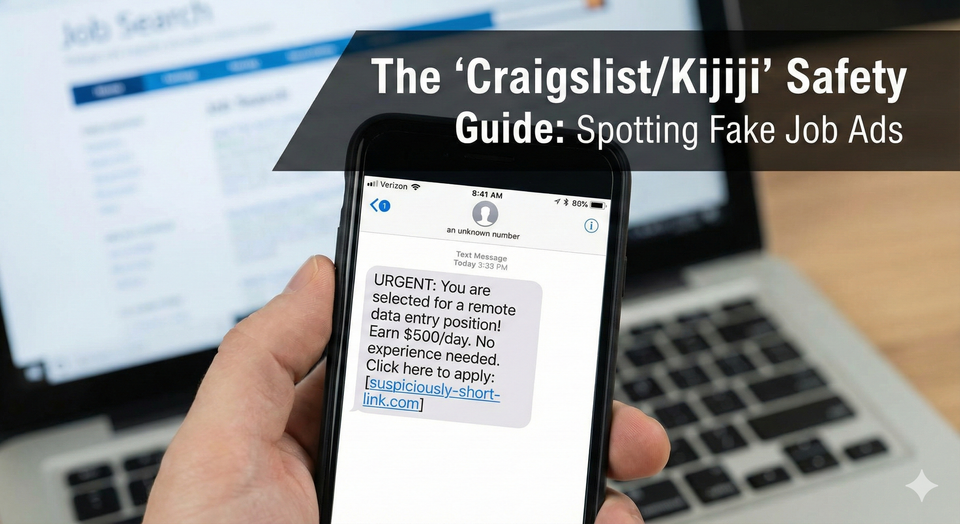
Let's be real: Kijiji and Craigslist are still the kings of the cash job market. If you want to find a moving gig or a snow removal contract for tomorrow morning, these platforms beat Indeed every time.
But for every legitimate lumper job or cleaning gig, there are five scams waiting to steal your identity.
In 2026, scammers have upgraded. They don't just send poorly written emails anymore. They use AI to write perfect cover letters, they impersonate real Canadian companies, and they use Interac e-Transfer to drain your bank account.
If you are a student or a newcomer to Canada, you are their #1 target. They know you are desperate for work and might not know how Canadian payroll works.
Here is your "Street Safety" guide to navigating the classifieds without getting burned.
1. The "Consensus Verdict" on Communication
How an employer talks to you is the single biggest indicator of a scam.
The "Telegram/WhatsApp" Interview
Verdict: 100% SCAM.
- The Pitch: "Our Hiring Manager wants to interview you. Download Telegram and message @ManagerJohn."
- The Reality: Legitimate Canadian companies use Zoom, Microsoft Teams, or a regular phone call. They never conduct a text-only interview on an encrypted chat app. If they ask you to download Signal, Telegram, or WhatsApp for the interview, block them immediately.
The "Gmail/Hotmail" Address
Verdict: 95% SCAM.
- The Pitch: You get an email from
recruiting.amazon.canada@gmail.com. - The Reality: Real recruiters have money. They pay for domains. Amazon emails come from
@amazon.com. If a "recruiter" is using a free email provider, they are likely sitting in an internet cafe overseas, not in a Toronto office.
2. The Top 3 Scams in Canada (2026 Edition)
These specific scams are draining millions from Canadian job seekers right now.
Scam #1: The "Cheque Overpayment" (Equipment Scam)
This is the most dangerous one because it puts you in debt.
- The Setup: You get hired for a "Data Entry" or "Virtual Assistant" job. They tell you they will send you a cheque to buy a laptop and software.
- The Trap: They send you a cheque for $3,500. They say: "Keep $500 for your first week's pay, and e-transfer the remaining $3,000 to our 'verified vendor' to buy the laptop."
- The Aftermath: You deposit the cheque. It looks real in your account. You send the $3,000 of your own money to the "vendor." Three days later, the cheque bounces. The bank takes the money back, and you are out $3,000.
Scam #2: The "Credit Report" Fee
- The Setup: You apply for a job. They say: "We need to check your credit score before hiring. Click this link to get your report."
- The Trap: The link goes to a fake site that charges you $20 or steals your credit card info.
- The Rule: Legitimate employers pay for their own background checks. You never pay to get hired.
Scam #3: The "Parcel Mule" (Reshipping)
- The Setup: "Quality Control Inspector." Your job is to receive packages at your house, inspect them, and mail them to a new address.
- The Trap: The goods were bought with stolen credit cards. You are essentially laundering stolen property. When the police track the packages, they come to your house, not the scammer's.
3. How to Verify a Company (Local Proof)
Before you reply to an ad, do a 30-second "Street View" test.
- Google the Address: If the job posting lists an address, look it up on Google Maps.
- Red Flag: Is the "Head Office" a residential house in Brampton or a random strip mall?
- Green Flag: It is a marked office building with the company's sign on the lawn.
- Check the Domain Date: Use a "WhoIs" lookup tool. If the company claims to be "Established in 2010" but their website domain was registered 3 weeks ago, it is a fake site created just to scam you.
- Call the Real Number: Don't call the number in the ad. Google the company's real main office number and ask the receptionist: "I'm verifying if you have a job posting for a [Role] on Kijiji?"
Comparison Table: Real Job vs. Fake Job
| Feature | Legitimate Job | Kijiji Scam |
| Interview | Phone, Zoom, or In-Person | Text-only (Telegram/Signal) |
@companyname.ca | @gmail.com / @hotmail.com | |
| Urgency | "We are reviewing applications." | "HIRED! Start IMMEDIATELY!" |
| Equipment | They ship it to you. | You buy it with a "cheque." |
| Pay Info | Discussed in interview. | Listed as "$50/hr" for unskilled work. |
Practical Questions Answered
"They asked for my SIN number. Is that safe?"
ONLY after you are hired.
A real employer needs your Social Insurance Number (SIN) for tax purposes, but only after you have signed an offer letter and met them (virtually or in-person).
- The Rule: Never put your SIN on a resume. Never give it in a chat. If they ask for it before the interview "for a background check," it is identity theft.
"Is Data Entry ever a real job?"
Rarely on Kijiji.
Real companies hire data entry clerks through agencies like Randstad or Adecco. If you see a "Work from Home Data Entry" ad on Craigslist offering $35/hour, it is 99.9% a scam. Real data entry pays minimum wage ($17–$19/hr).
- Internal Link: If you want legitimate remote work, check our guide on work from home jobs.
"I sent them my ID. What do I do?"
If you sent a photo of your Driver's License or Passport to a scammer:
- Call Equifax and TransUnion Canada immediately. Place a "Fraud Alert" on your file.
- Call the Canadian Anti-Fraud Centre.
- Be aware that they might use your ID to scam other people.
Frequently Asked Questions
Is Kijiji safe for finding jobs?
Yes, for local labour. Kijiji is excellent for finding small businesses (landscapers, movers, painters) who need help. It is dangerous for "corporate" or "remote" jobs. If a job involves physical labor, it is usually real. If it involves sitting at a computer for high pay, be suspicious.
What should I do if I deposited a fake cheque?
Do not spend the money. Call your bank immediately and tell them: "I believe I have been the victim of a job scam and deposited a fraudulent cheque." Being honest before the cheque bounces can save your bank account from being frozen or closed for fraud.
Do employers ask for credit card numbers?
Never. There is absolutely no reason an employer needs your credit card number. They pay you; you don't pay them. Even for "uniforms" or "background checks," legitimate companies deduct costs from your first paycheque; they don't ask for a credit card upfront.
About the author
Jeff Calixte (MC Yow-Z) is a Canadian career researcher and digital entrepreneur who studies hiring trends, labour market data, and real entry-level opportunities across Canada. He specializes in simplifying the job search for newcomers, students, and workers using practical, up-to-date information.
Sources
- Canadian Anti-Fraud Centre (Job Scams): https://antifraudcentre-centreantifraude.ca/scams-fraudes/job-emploi-eng.htm
- Competition Bureau Canada (The Little Black Book of Scams): https://www.competitionbureau.gc.ca/eic/site/cb-bc.nsf/eng/04333.html
- Equifax Canada (Fraud Alerts): https://www.consumer.equifax.ca/personal/education/identity/how-to-place-fraud-alert-on-credit-reports/
Note:
Job availability, wages, and hiring conditions can vary widely by province, employer, season, and experience level. All salary ranges and job examples in this guide are estimates based on current labour market data. Always confirm details directly with the employer before applying.